Site Scan
Crawls your homepage, every published page and post, archives, search and the 404 page. A second pass runs in your browser against real computed styles, so contrast, text size and tap targets are measured, not guessed.
Checks every page against WCAG 2.2, explains each problem in plain English and applies the safe fixes. Nothing leaves your server.
Find the problems, understand them, fix them and keep them from coming back.
Crawls your homepage, every published page and post, archives, search and the 404 page. A second pass runs in your browser against real computed styles, so contrast, text size and tap targets are measured, not guessed.
Every one has a WCAG criterion, a reason it matters, how to fix it and a code example.
Browse the rulesFinds the nearest passing colour and keeps your hue.
See the sizes you really use, then get a fluid type scale as CSS.
Checks the post as you write. Nudges, and never blocks you.
Your whole media library in one list. Missing, filename or too long, with inline editing.
Nine front-end fixes, each a toggle that explains what it changes. Off until you switch them on. Nothing in your database is rewritten.
A score from 0 to 100 you can follow over time, client-ready reports, CSV and JSON exports, an email digest after scheduled scans and an accessibility statement wizard.
Optional, off by default. Text size, spacing, contrast and more, as a convenience for visitors. We say plainly it is not a fix.
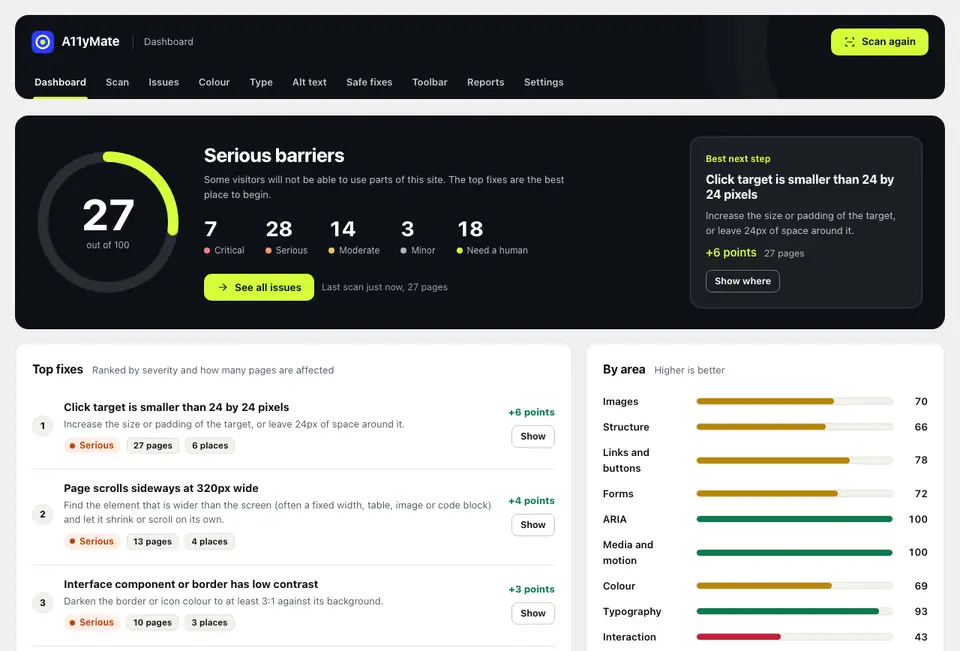
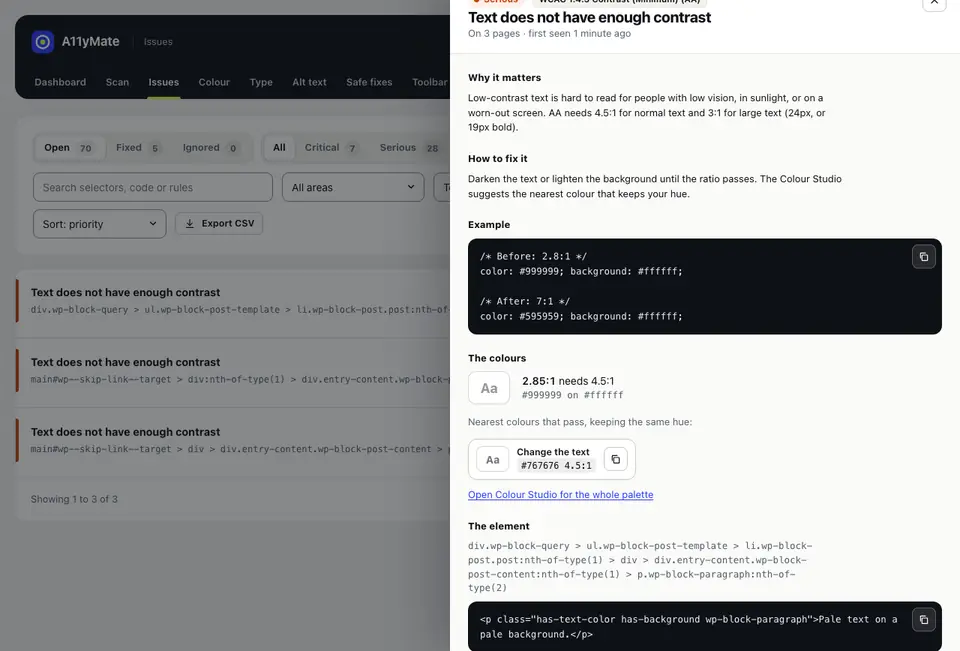
The dashboard shows where to start. Each issue opens with the reason, the fix and an example.
Colour Studio finds the nearest colour that passes and keeps the hue. Pick an example and drag the slider.
Free delivery on orders over £50
Order by 3pm for next-day delivery to most of the UK.
Start shopping
Want to try your own colours? The free Contrast Checker does exactly this.
The Editor Assistant checks the post in the block editor as you go: images without alt text, skipped headings, vague links, empty buttons and low-contrast block colours. It nudges. It never blocks you, unless you ask it to.
Try the mock-up. Each Fix button shows what the real suggestion does.
A11yMate is not released yet. These are the planned launch prices.
£0
1 site
£59 a year
1 site
£199 a year
Up to 25 sites
No, and it never will be. An overlay adds a script and a widget to your site and claims that makes it compliant. It does not. A11yMate scans your site, shows you the real problems, tells you how to fix them in the site itself, and applies only the fixes that are safe to automate.
There is an optional toolbar for visitors. We describe it as a convenience, not a fix. See A11yMate vs overlays for the full comparison.
No tool can promise that. Automated checks find roughly a third to a half of WCAG issues. The rest need a person: is the alt text accurate, does the page make sense with a screen reader, can someone complete a checkout with a keyboard.
A11yMate helps you work towards WCAG 2.2 AA. It finds what a machine can find, marks what needs a human, and gives you the exact fix for each.
No. Every check runs on your own server or in your own browser. No page content, URLs or data are sent anywhere. There is no account, no tracking and no external API. You can read the privacy page for the detail.
A11yMate reads your pages the way a visitor sees them, so it does not depend on one theme or builder. It works with block themes and classic themes. It needs WordPress 6.5 or newer and PHP 7.4 or newer.
No. The Safe Fixes change what is output on the front end only, they are off by default and each one is a toggle with a plain explanation. Nothing in your database is rewritten. Colour and type changes are opt-in and come with an undo.
The EAA has applied since 28 June 2025 to many online services and shops that sell to people in the EU. In the UK the Equality Act 2010 and public sector accessibility regulations are the main reference points, and in the US the ADA. A11yMate gives you the evidence and the fixes to work towards WCAG 2.2 AA, which is the standard these rules point to. It is not legal advice and it cannot certify compliance.
A11yMate is coming soon to WordPress.org. There is no store listing yet. Email hello@a11ymate.co.uk and we will tell you when it is out.
A11yMate is coming soon to WordPress.org. Tell us and we will send one email when it is out, and nothing else.
Get notified